
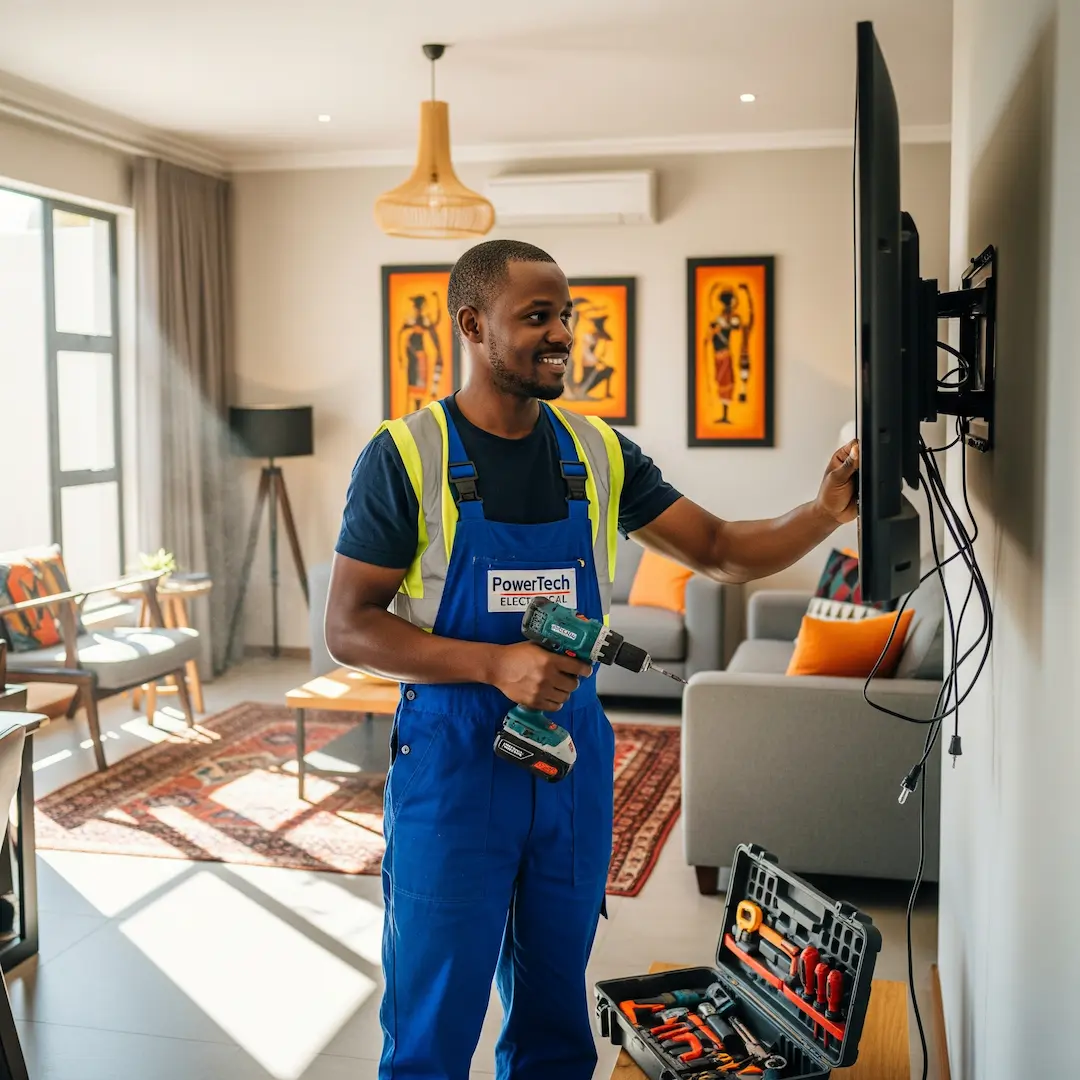
Mounting Your TV in SA: Choosing the Right Mount & Ensuring Safe Installation
Wall-mounting a TV in South Africa? Learn key mounting tips, wall structure considerations, and safety essentials to ensure a secure installation and the best viewing experience.

There's something incredibly satisfying about a wall-mounted TV – it frees up space, looks sleek, and offers a fantastic viewing experience. But beyond the aesthetics, safely and correctly mounting your TV is paramount, especially here in South Africa where homes can range from sturdy brick and mortar to lighter drywall constructions. As experts in home installations, we've seen it all, and our professional installers consistently emphasise that a successful TV mounting job starts with careful planning and the right approach.
This guide will walk you through the essential considerations for wall-mounting your TV, focusing on choosing the appropriate mount, understanding your wall structure, and ensuring a secure, hazard-free installation.
Understanding Your TV Wall Mount Options
Selecting the right TV mount is the first critical step. It’s not just about aesthetics; it’s about functionality and, most importantly, safety. Our experienced installers often explain that the type of mount you choose directly impacts how you can position your TV and how easily you can access cables once it’s on the wall.
Here are the most common types of TV mounts available in South Africa:
- Fixed Wall Mounts:Description: These mounts hold your TV flat against the wall, offering the slimmest profile. The TV sits very close to the wall, almost like a picture frame.
- Pros: Very discreet, minimalist look, typically the most affordable option.
- Cons: No adjustability. If you need to access ports or cables behind the TV, it can be quite a challenge. Not ideal for rooms with glare issues or where viewing angles vary greatly.
- Best for: Rooms where the viewing position is consistent and glare isn't an issue, such as a dedicated TV room or a living room with fixed seating.
- Tilting Wall Mounts:Description: Similar to fixed mounts, but with the added ability to tilt the TV vertically, usually downwards.
- Pros: Helps reduce glare from windows or overhead lighting by allowing you to angle the screen. Can slightly improve viewing angles if your seating is lower than the TV. Still maintains a relatively low profile.
- Cons: Limited adjustability – you can only tilt, not swivel horizontally. Cable access can still be tricky depending on the design.
- Best for: Bedrooms where you might watch TV from bed, or living rooms where minor glare adjustments are needed.
- Full-Motion (Articulating) Wall Mounts:Description: These mounts offer the most flexibility. They extend away from the wall, tilt, and swivel horizontally, allowing for a wide range of viewing angles.
- Pros: Maximum viewing flexibility, excellent for corner installations or multi-purpose rooms. Easy access to cables and ports for connecting devices or troubleshooting. Can pull the TV out to clean behind it.
- Cons: Generally more expensive and bulkier than fixed or tilting mounts. Requires more careful installation to ensure stability due to the extended arm.
- Best for: Open-plan living areas, kitchens, or any space where you need to adjust the TV angle frequently for optimal viewing from various positions. They are also highly recommended if you anticipate regularly connecting or disconnecting devices.
When considering the mount, also check the VESA compatibility. This refers to the standard hole pattern on the back of your TV that the mount needs to match. All modern TVs and mounts adhere to VESA standards, but it's crucial to confirm your TV's VESA pattern (e.g., 200x200mm, 400x400mm) and ensure your chosen mount supports it, as well as the weight of your TV.
Identifying Wall Stud Locations: The Foundation of Safe Mounting
One of the most critical aspects of safe TV installation is securing the mount to the wall's structural elements, primarily wall studs. Without anchoring into studs, your TV is at serious risk of falling, causing damage to the TV, the wall, and potentially injuring someone. Our installers have seen the aftermath of TVs mounted directly into drywall without proper support – it’s never pretty.
Here’s how to effectively find wall studs in South African homes:
- The Tap Test (Acoustic Method):Lightly tap along the wall surface. Listen for a change in sound. A hollow sound indicates empty space behind the drywall, while a more solid, dense sound suggests you've hit a stud.
- Once you find a solid spot, verify by tapping above and below it. Studs run vertically from floor to ceiling.
- Look for Clues:Electrical Outlets and Light Switches: These are almost always mounted to the side of a stud. You can often estimate the stud's location by finding an outlet and then measuring 3-4 cm to the side to find the centre of the stud.
- Baseboards and Cornices: Look for nail heads or slight imperfections in the paint where the baseboards or cornices are attached to the studs. These can sometimes give you a clue about stud spacing.
- Corners: There is almost always a stud in the corner of a room. Measure outwards from the corner. In South Africa, stud spacing is typically 40cm or 60cm (16 or 24 inches) on centre.
- Use a Stud Finder:This is the most reliable method. Electronic stud finders are readily available at hardware stores across South Africa.
- How it works: You calibrate the device against the wall, then slide it horizontally. It detects changes in density or magnetic fields (from screws/nails in the stud). When it crosses a stud, it will typically light up or beep.
- Pro Tip: Always scan the area multiple times, both horizontally and vertically, to confirm the stud's edges and centre. Mark the centre of the stud lightly with a pencil.
- Small Pilot Holes (Last Resort):If other methods fail and you're confident you're close to a stud, you can drill very small pilot holes (use a thin drill bit, about 2-3mm). If you hit wood, you've found your stud. If not, the hole is small enough to be easily patched. Always start near the top of where the TV will cover the wall.
Safely Routing Cables: Avoiding Hazards and Achieving a Clean Look
Once your TV is mounted, the next challenge is managing the cables. Dangling wires are not only unsightly but can also be a tripping hazard. Proper cable routing is crucial for both aesthetics and safety, especially when dealing with electrical components. Our expert electricians always highlight the importance of adhering to SANS 10142-1 (The Wiring of Premises) when dealing with any in-wall electrical work.
Here are safe and effective ways to manage your cables:
- On-Wall Cable Management Solutions:Cable Trunking/Concealers: These are plastic or metal channels that run along the wall, concealing cables within. They come in various colours and profiles and can often be painted to match your wall. This is a popular and straightforward DIY-friendly option in South Africa.
- Cable Clips/Ties: For a very simple setup with minimal cables, basic cable clips can secure wires neatly along the bottom of the TV or entertainment unit. Cable ties can bundle cables together for a tidier appearance.
- In-Wall Cable Management (Professional Recommended):DIY Note: While appealing for a truly hidden look, routing cables inside walls, especially power cables, involves significant risk. Unless you are a qualified electrician or very confident in your DIY electrical skills and understand the relevant SANS regulations, it is highly recommended to hire a professional for in-wall cable routing, particularly for power cables.
- Low-Voltage Cables (HDMI, Ethernet, Audio): You can often route these through the wall using specific in-wall cable management kits that include pass-through plates. This typically involves cutting small holes in the drywall behind the TV and near the floor where your devices are located. Ensure there are no electrical wires or plumbing in the path before cutting.
- Power Cables: This is where professional expertise is vital. Simply running a TV's standard power cable through the wall violates SANS regulations and can be a fire hazard. Professionals will install a recessed power outlet behind the TV, connecting it safely to your home's electrical system, adhering to all necessary standards. This ensures that the TV is powered correctly and safely within the wall cavity.
Key Safety Considerations for Your TV Installation
Beyond the mount and cables, a few other safety aspects are critical:
- Weight Capacity: Always check the maximum weight capacity of your chosen TV mount and ensure it exceeds the weight of your TV. Overloading the mount is a recipe for disaster.
- Wall Material: While we've focused on studs for drywall, South African homes also feature brick, concrete, or plaster walls. Each requires specific rawl plugs and screws designed for that material to ensure a secure anchor. A professional installer will have the right tools and fasteners for any wall type.
- Children and Pets: If you have young children or pets, ensure the TV is mounted at a height where it's out of reach or cannot be easily bumped or pulled down. Consider using additional safety straps if you have a tilt or full-motion mount that can be extended.
- Clearance and Ventilation: Ensure there's adequate space around the TV for ventilation, especially for larger, higher-powered models. Blocking vents can lead to overheating and damage.
- Electrical Safety: As mentioned, avoid running TV power cords inside walls. Always ensure any electrical work, including installing new outlets, is done by a qualified and registered electrician in accordance with SANS 10142-1. This is not just a recommendation; it's a legal and safety requirement in South Africa.
By carefully considering these factors and, when in doubt, enlisting the help of a qualified professional, you can ensure your TV is mounted safely, securely, and beautifully, enhancing your home entertainment experience for years to come.
Frequently Asked Questions
How high should I mount my TV?
The ideal height for a TV is typically at eye level when you are seated in your primary viewing position. For most living rooms, this means the centre of the TV screen should be about 105 cm to 115 cm (42 to 45 inches) from the floor. However, this can vary based on your seating arrangement and personal preference.
Can I mount a TV on a plaster wall without finding studs?
Mounting a TV directly onto a plaster wall without locating and securing it to underlying studs or solid brick/concrete is strongly discouraged, especially for larger or heavier TVs. Plaster itself does not provide sufficient structural support, and the TV is highly likely to pull away from the wall over time, causing significant damage. Always aim to anchor into structural elements.
What tools do I need for DIY TV mounting?
For a basic DIY TV mount, you'll generally need a stud finder, a spirit level, a drill with appropriate bits for your wall type (wood or masonry), a pencil for marking, a tape measure, and a screwdriver. However, for larger TVs, complex mounts, or in-wall cable management, specialised tools and professional expertise are often necessary.
How do I know if my wall can support my TV?
The main factor is the type of wall and whether you can locate and secure the mount to solid structural elements like wooden studs (for drywall) or solid brick/concrete. Drywall alone cannot support a TV. If you have any doubts about your wall's integrity or ability to hold the weight of your TV, it's always best to consult with a professional installer.
Find a vetted electrician near you
TV installation: find a pro near you
Suzette Meyer is the lead author and content creator for Kandua.com, South Africa’s #1 marketplace for home services. Suzette has made it her mission to help homeowners with advice on all aspects of home repair, maintenance and improvement, including how to choose the right Pro and how to make smart upgrades that improve your resale value or save costs.

Latest articles, advice and more
.webp)
.webp)
.jpeg)
Sinking Pavers, Weeds and Water That Pools: What Your Driveway Is Telling You
When your driveway starts sprouting weeds, pooling water, or sinking in patches, the bricks are not failing you. The layers underneath have moved, and they are trying to tell you exactly what went wrong.
.jpeg)
What Your Garage Door Motor Actually Does (And Why It Breaks)
Spoiler alert: your garage door motor isn't actually doing the heavy lifting. The torsion springs carry almost all the weight. The motor simply pushes, pulls, controls the descent so it doesn't slam, and acts as a lock when the door is shut. That’s why a relatively small box on your ceiling can move such a massive door. Want to test this? Pull the red manual release cord and lift the door by hand. If it glides up easily and stays put when you let go, your springs are doing their job, and the fault lies with the motor. If the door feels like dead weight or slams back down- stop. You’ve got a spring problem.
.jpeg)
4 Warning Signs Your Tiles Are Failing (And What They Mean)
Tiles rarely fail overnight. They warn you first. A hollow sound underfoot, grout that crumbles away, a tile that lifts at one edge, or a crack that runs across two tiles all point to something happening under the surface. Here is what each sign means, and how urgent it is.
.webp)
.webp)
Beyond the Unboxing: A Detailed Guide to Correct Washing Machine Plumbing & Setup
New washing machine in South Africa? Learn essential plumbing and setup tips to prevent leaks, ensure efficient operation, and extend your appliance’s lifespan - expert advice before your first load.
.webp)
New Washing Machine? Don't Plug It In Yet! Essential Installation Tips for SA Homes
Installing a new washing machine? Learn the essential setup steps South African homeowners often overlook to prevent leaks, noise, and damage—and ensure efficient, long-lasting performance from day one.
.webp)
.webp)
%25201200%2520x%25201200%2520(1).jpeg)
What Retiling a Bathroom Costs in 2026, Room by Room
Retiling a bathroom in South Africa costs between R230 and R800 per square metre in 2026, including materials and labour. A standard family bathroom, stripped and fully retiled, usually lands between R11,800 and R27,500. A guest toilet costs a fraction of that. A large porcelain en-suite costs a lot more.
How to Install a Horizontal Geyser | Step-by-Step Pro Guide
Want to install a geyser like a pro? This step-by-step tutorial shows you exactly how to do a horizontal Ariston Axios geyser installation, straight from the BluLever plumbing workshop. 🎥 Hosted by MK, BluLever’s technical facilitator, and supported by a qualified electrician, Life and a BluLever graduate artisan, Zinhle. This is your ultimate guide to a SANS 10254-compliant installation — from preparing the wall, to plumbing, electrical wiring, and pro troubleshooting tips.
How to Maintain a Geyser | Step-by-Step Pro Guide
Want to maintain a geyser like a pro? This step-by-step tutorial shows you exactly how to do the three core geyser maintenance checks on an Ariston Axios geyser installation, straight from the BluLever plumbing workshop. 🎥 Hosted by MK, BluLever’s technical facilitator, and supported by a qualified electrician, Life. This is your ultimate guide to geyser maintenance — from diagnosing the problem to checking the heat regulation of the geyser, to pressure regulation and then finally corrosion protection.
%201.avif)
Not just another newsletter. It's an advantage