
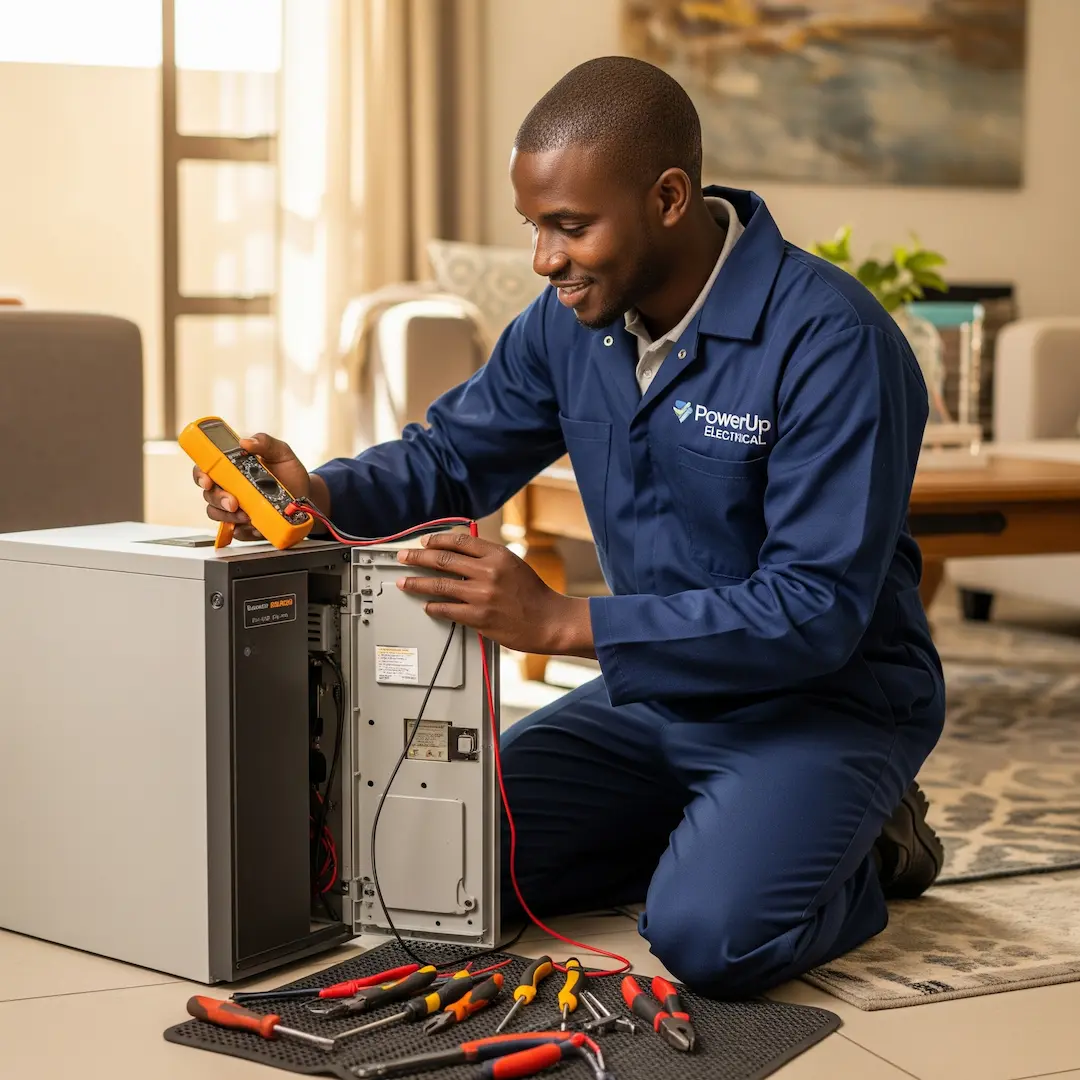
Your UPS is Repaired! Tips for Sustained Performance & Protecting Your SA Electronic
UPS repaired? Learn essential maintenance tips to extend lifespan, protect sensitive electronics, and ensure reliable performance during South African load shedding and power fluctuations.

Your UPS is Repaired! Tips for Sustained Performance & Protecting Your SA Electronics
There's a unique sense of relief when your Uninterruptible Power Supply (UPS) is back up and running. In South Africa, where reliable power can sometimes be a luxury, a functioning UPS is often the unsung hero protecting our valuable electronics from the unpredictable dance of load shedding and power surges. But getting it repaired is only half the battle. The real win comes from ensuring that the repair holds, and that your UPS continues to provide the steadfast protection you rely on.
This guide, informed by insights from seasoned electricians and power experts across the country, will walk you through what to do after a UPS repair to guarantee its sustained performance and keep your sensitive electronics safe.
The Immediate Aftermath: What to Check First
Once your electrician has packed up their tools, it's natural to want to immediately plug everything back in. However, taking a moment to perform a few crucial checks can save you headaches down the line.
According to one expert we spoke to, "Many homeowners are eager to get back online, but a quick visual inspection and a basic functional test after a repair can highlight any lingering issues before they become bigger problems. It's like checking the oil after a car service."
Here's what to look for:
- Visual Inspection: Give your UPS a good once-over. Are all cables securely connected? Are there any loose wires or unusual smells? Sometimes, a seemingly minor repair can involve internal component adjustments, and a visual check can confirm everything is in its rightful place.
- Indicator Lights: Your UPS communicates its status through a series of indicator lights. Immediately after a repair, these lights should ideally show a "normal operation" or "online" status. Refer to your UPS manual to understand what each light signifies. If you see any warning or error lights that weren't present before the repair, or if the "battery" light is still on after a few hours of charging, contact your technician.
- Fan Operation: Most UPS units have internal cooling fans. Listen for the fan operating normally. An unusually loud fan, or no fan operation at all, could indicate an issue.
- Initial Charging Cycle: If your repair involved battery replacement or work on the charging circuit, allow the UPS to charge fully without any load connected for at least 8-12 hours, or as recommended by the manufacturer. This ensures the new or repaired battery reaches its optimal charge.
How to Confirm Your UPS is Working Properly
The true test of a UPS lies in its ability to seamlessly switch to battery power when the mains fail. While you shouldn't constantly pull the plug on your sensitive equipment, there are safe ways to verify its functionality.
- Controlled Power Disconnection (with caution):Low-Power Test: Unplug your UPS from the wall socket while only a non-critical, low-power device (like a desk lamp or a phone charger) is connected. The UPS should immediately switch to battery power, and the connected device should remain on.
- Listen for the "Click": Many UPS units emit an audible "click" when they switch from mains to battery power. This is a good indication that the transfer switch is working.
- Monitor Battery Status: Observe the battery indicator lights or the LCD display (if available) to ensure the UPS is drawing power from the battery and that the battery level is decreasing as expected.
- Reconnect and Recharge: Once you've confirmed the switch, plug the UPS back into the wall socket. It should revert to mains power and begin recharging the battery.
- Important Safety Note: Only perform this test with non-critical equipment. Never pull the plug on your computer or other sensitive electronics without saving your work and ensuring proper shutdown procedures are in place. If you are unsure, rather consult with your electrician.
- Software Monitoring (if applicable): Many modern UPS units come with monitoring software that can be installed on your computer. This software provides real-time data on:
- Input/Output Voltage: Helps you see if the power coming in is stable and what the UPS is supplying to your devices.
- Battery Charge Level: Shows the current charge percentage and estimated runtime.
- Load Percentage: Indicates how much of the UPS's capacity is being used by your connected devices.
- Event Logs: Records power events like outages, surges, and transfers to battery power. This is invaluable for troubleshooting and understanding your power environment.
Understanding Common UPS Alerts and What They Mean
A repaired UPS should ideally run silently and efficiently. However, if it starts beeping or flashing lights, it’s communicating something important. Interpreting these alerts correctly can help you determine if further action is needed.
- Constant Beeping/Warning Light: This often indicates a critical issue. It could be an overloaded UPS, a failing battery, an internal fault, or an issue with the incoming power. Consult your manual and, if the problem persists, contact your electrician.
- Battery Low/Weak Battery Alert: This is a common alert, especially after a power outage or if the battery is reaching the end of its lifespan. If this alert appears shortly after a repair that involved battery work, it could indicate an issue with the battery itself or the charging circuit. Allow the UPS to charge fully, and if the alert persists, the battery may need further inspection or replacement.
- Overload Alert: This means you have too many devices connected to your UPS, exceeding its capacity. Disconnect some non-essential devices immediately to prevent damage to the UPS.
- Fault/Error Light: This signifies an internal malfunction. It's best to switch off the UPS, disconnect all devices, and call your electrician.
- Site Wiring Fault: Some advanced UPS units can detect wiring issues in your home's electrical system, such as incorrect grounding or reversed polarity. This is a serious alert and requires immediate attention from a qualified electrician to prevent safety hazards.
Maximising Battery Lifespan After Repair
The battery is the heart of your UPS. Its lifespan is crucial for the unit's effectiveness. Even after a repair, proper care can significantly extend its useful life.
- Avoid Deep Discharges: While your UPS is designed to provide power during outages, constantly draining the battery to 0% can shorten its lifespan. If possible, shut down your devices gracefully once the battery level is low.
- Maintain Optimal Temperature: Keep your UPS in a cool, dry, and well-ventilated area. Extreme temperatures (both hot and cold) can degrade battery performance and lifespan.
- Don't Overload: As mentioned earlier, overloading the UPS not only risks damage to the unit but also puts unnecessary strain on the battery, accelerating its degradation.
- Regular Self-Tests (if available): Many UPS units have a self-test function that can be initiated via a button on the unit or through software. This test momentarily switches to battery power to check the battery's health. Performing this every few months can help you identify a weakening battery before it fails completely.
- Periodic Maintenance: While a repair addresses a specific issue, general maintenance can prevent future problems. Keep the UPS clean, ensure vents are free of dust, and periodically check cable connections.
Protecting Your SA Electronics: Beyond the Repair
A functional UPS is a fantastic first line of defence, but a holistic approach to protecting your electronics is always best, especially with South Africa's dynamic power landscape.
- Surge Protection at the Wall: While your UPS offers surge protection, using additional surge protectors at wall outlets for highly sensitive devices (even those not on the UPS) can provide an extra layer of security. Look for surge protectors with a joule rating of at least 1000.
- Proper Grounding: Ensure your home's electrical system is properly grounded. This is crucial for both safety and the effective operation of surge protectors and UPS units. If you suspect an issue, have a qualified electrician inspect your wiring.
- Unplug During Extended Outages: For very long outages, or when you are away from home, it's a good practice to unplug non-essential electronics, even those connected to a UPS. This prevents them from being exposed to potential surges when power is restored.
- Consider a Voltage Protector: In areas prone to extreme voltage fluctuations, a dedicated voltage protector (often called a "fridge guard" or "TV guard") can provide an additional layer of defence for specific appliances, even when the UPS is not active.
By following these post-repair guidelines and adopting a proactive approach to power protection, you can ensure your UPS continues to be a reliable guardian for your valuable electronics, giving you peace of mind in an unpredictable power environment.
Frequently Asked Questions
How long should a UPS battery last after replacement?
A new UPS battery, when properly maintained, typically lasts between 3 to 5 years. Factors like frequent deep discharges, high ambient temperatures, and constant overloading can reduce this lifespan.
Can I connect any appliance to my UPS?
No. UPS units are designed for specific power loads. Connecting high-power appliances like kettles, heaters, microwaves, or refrigerators to a standard UPS can overload the unit and cause damage. Always check the wattage rating of your UPS and the devices you intend to connect.
How often should I test my UPS?
It's generally recommended to test your UPS every 3 to 6 months. This can involve using the built-in self-test function (if available) or performing a controlled power disconnection with a non-critical load to ensure the battery and transfer switch are functioning correctly.
What does "VA" mean on a UPS, and why is it important?
"VA" stands for Volt-Amperes and represents the apparent power rating of the UPS. It indicates the total power output the UPS can deliver. When choosing a UPS, you need to ensure its VA rating (and often its wattage rating, which is typically 60-70% of the VA) is sufficient for the total power consumption of all the devices you intend to connect.
Find a vetted electrician near you
UPS repair: find a pro near you
Suzette Meyer is the lead author and content creator for Kandua.com, South Africa’s #1 marketplace for home services. Suzette has made it her mission to help homeowners with advice on all aspects of home repair, maintenance and improvement, including how to choose the right Pro and how to make smart upgrades that improve your resale value or save costs.

Latest articles, advice and more
.webp)
.webp)
.webp)
.webp)
.jpeg)
Sinking Pavers, Weeds and Water That Pools: What Your Driveway Is Telling You
When your driveway starts sprouting weeds, pooling water, or sinking in patches, the bricks are not failing you. The layers underneath have moved, and they are trying to tell you exactly what went wrong.
.webp)
.webp)
Beyond the Unboxing: A Detailed Guide to Correct Washing Machine Plumbing & Setup
New washing machine in South Africa? Learn essential plumbing and setup tips to prevent leaks, ensure efficient operation, and extend your appliance’s lifespan - expert advice before your first load.
.webp)
New Washing Machine? Don't Plug It In Yet! Essential Installation Tips for SA Homes
Installing a new washing machine? Learn the essential setup steps South African homeowners often overlook to prevent leaks, noise, and damage—and ensure efficient, long-lasting performance from day one.
.webp)
.webp)
%25201200%2520x%25201200%2520(1).jpeg)
What Retiling a Bathroom Costs in 2026, Room by Room
Retiling a bathroom in South Africa costs between R230 and R800 per square metre in 2026, including materials and labour. A standard family bathroom, stripped and fully retiled, usually lands between R11,800 and R27,500. A guest toilet costs a fraction of that. A large porcelain en-suite costs a lot more.
How to Install a Horizontal Geyser | Step-by-Step Pro Guide
Want to install a geyser like a pro? This step-by-step tutorial shows you exactly how to do a horizontal Ariston Axios geyser installation, straight from the BluLever plumbing workshop. 🎥 Hosted by MK, BluLever’s technical facilitator, and supported by a qualified electrician, Life and a BluLever graduate artisan, Zinhle. This is your ultimate guide to a SANS 10254-compliant installation — from preparing the wall, to plumbing, electrical wiring, and pro troubleshooting tips.
How to Maintain a Geyser | Step-by-Step Pro Guide
Want to maintain a geyser like a pro? This step-by-step tutorial shows you exactly how to do the three core geyser maintenance checks on an Ariston Axios geyser installation, straight from the BluLever plumbing workshop. 🎥 Hosted by MK, BluLever’s technical facilitator, and supported by a qualified electrician, Life. This is your ultimate guide to geyser maintenance — from diagnosing the problem to checking the heat regulation of the geyser, to pressure regulation and then finally corrosion protection.
%201.avif)
Not just another newsletter. It's an advantage